
Verification: How to Verify Your Account on Wakafixam (Step-by-Step Guide)
Account verification is an important step for every user on Wakafixam. Whether you want to request services, offer your skills, or sell products, verifying your account helps ensure that everyone on the platform is real and trustworthy.
The verification process on Wakafixam is simple and only takes a few minutes to complete.
In this guide, we will walk you through how to verify your Wakafixam account using either your BVN or NIN.
How to Verify Your Wakafixam Account
To verify your Wakafixam account:
Sign in to your Wakafixam account.
Click the Profile icon in the bottom menu.
Open the Verification section.
Choose BVN or NIN verification.
Enter your details and confirm.
Once your details match, your account becomes verified.
Why Account Verification Is Important on Wakafixam
Wakafixam connects people who need things done with skilled professionals and merchants who provide services or products. Because real transactions and jobs happen on the platform, verification helps create a safe and reliable environment for everyone.
When you verify your Wakafixam account, it helps to:
• Build trust between users
• Prevent fraud and fake accounts
• Improve credibility for service providers and merchants
• Enable smoother interactions on the platform
Verification ensures that everyone on the platform is who they say they are.
Who Needs to Verify Their Wakafixam Account?
The verification process applies to all Wakafixam users, including:
Household Users
People who use Wakafixam to post jobs or request services.
Artisans / Service Providers
Skilled professionals offering services such as repairs, installations, cleaning, tailoring, and more.
Merchants
Business owners selling products through the platform.
Regardless of which category you belong to, the verification steps are the same for everyone.
What You Need Before Verifying Your Wakafixam Account
Before starting the verification process, make sure you have either your BVN (Bank Verification Number) Your NIN (National Identification Number)
Important requirement:
Your Name, Phone Number, and Date of Birth must match the information linked to your BVN or NIN.
If these details do not match, the verification process may fail.
Step-by-Step Guide to Verifying Your Wakafixam Account
Follow these steps to verify your account.
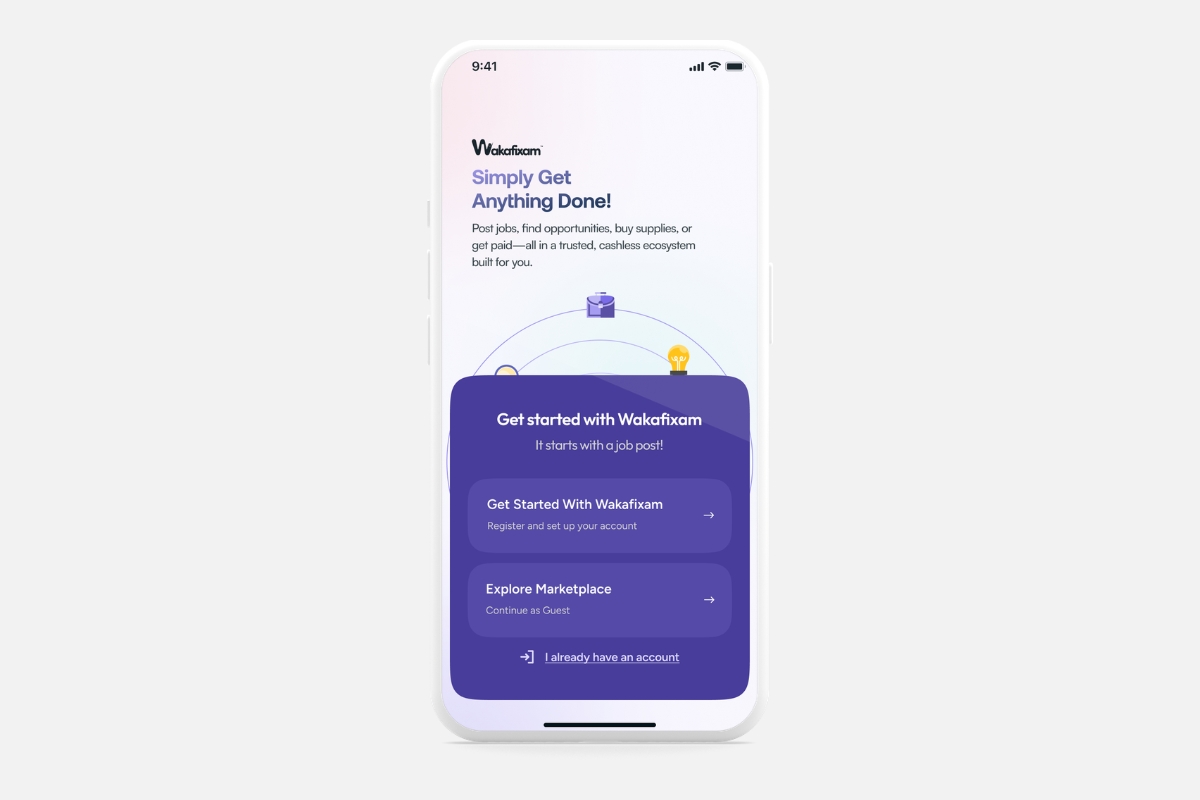
Step 1: Sign In to Your Wakafixam Account
Start by logging into your Wakafixam account.
You can access Wakafixam through:
• The mobile app
• The web platform
Use your registered login details to sign in.
Step 2: Open Your Profile
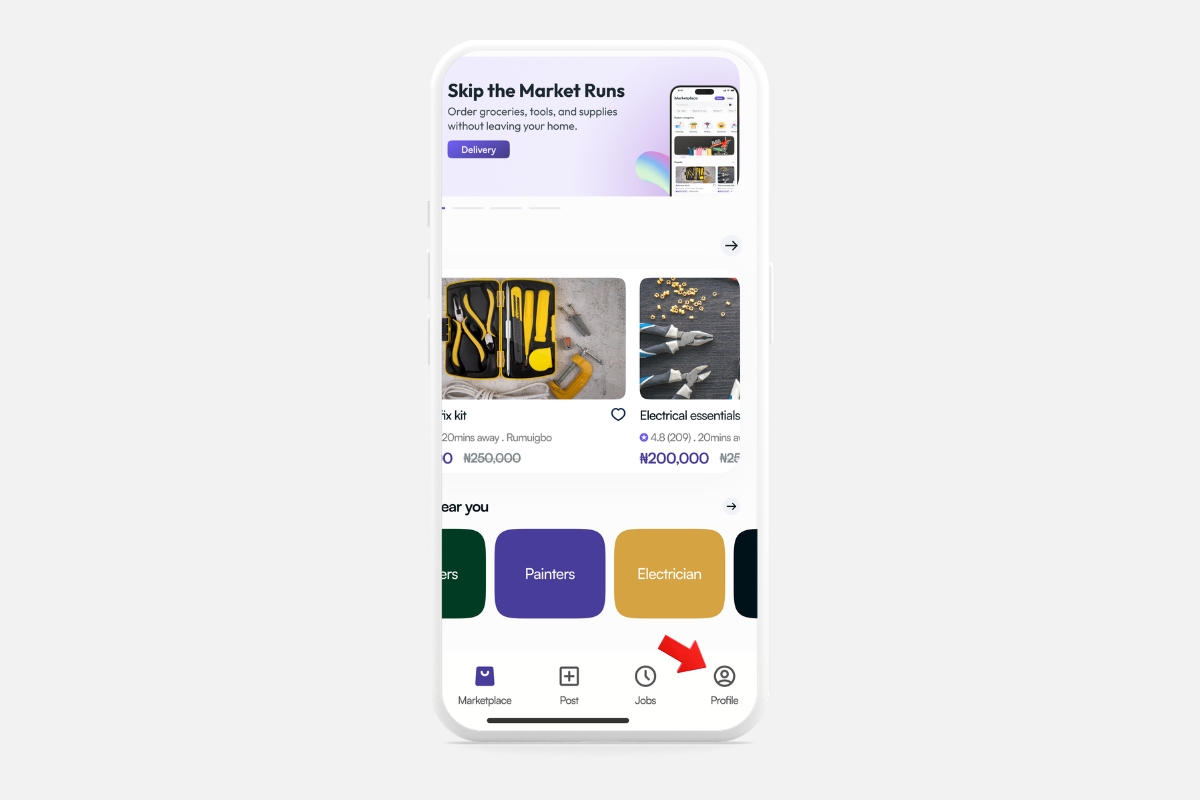
Once you are logged in:
Look at the bottom menu of the app or dashboard.
Tap or click on the Profile / Account icon.
This will take you to your account profile page.
Step 3: Click on Verification
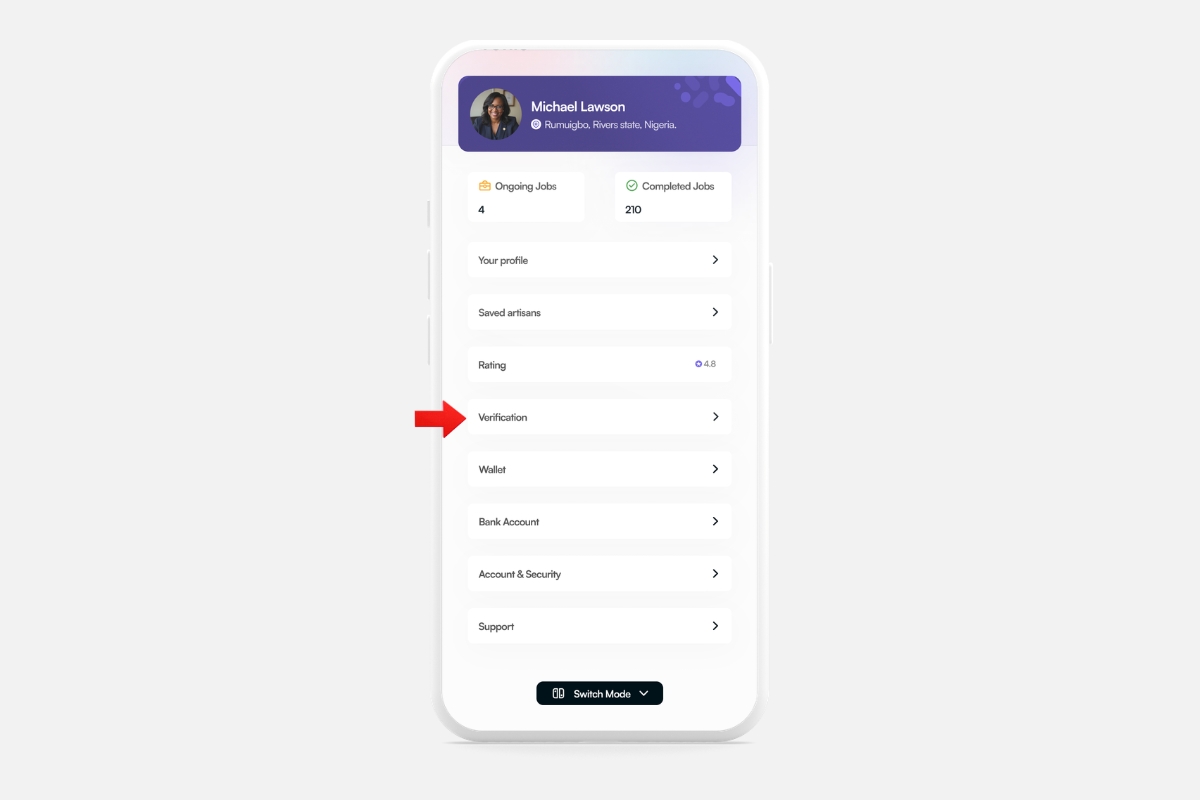
Inside your profile page, locate the option labelled Verification.
Click or tap on it to begin the identity verification process.
Step 4: Choose Your Verification Method
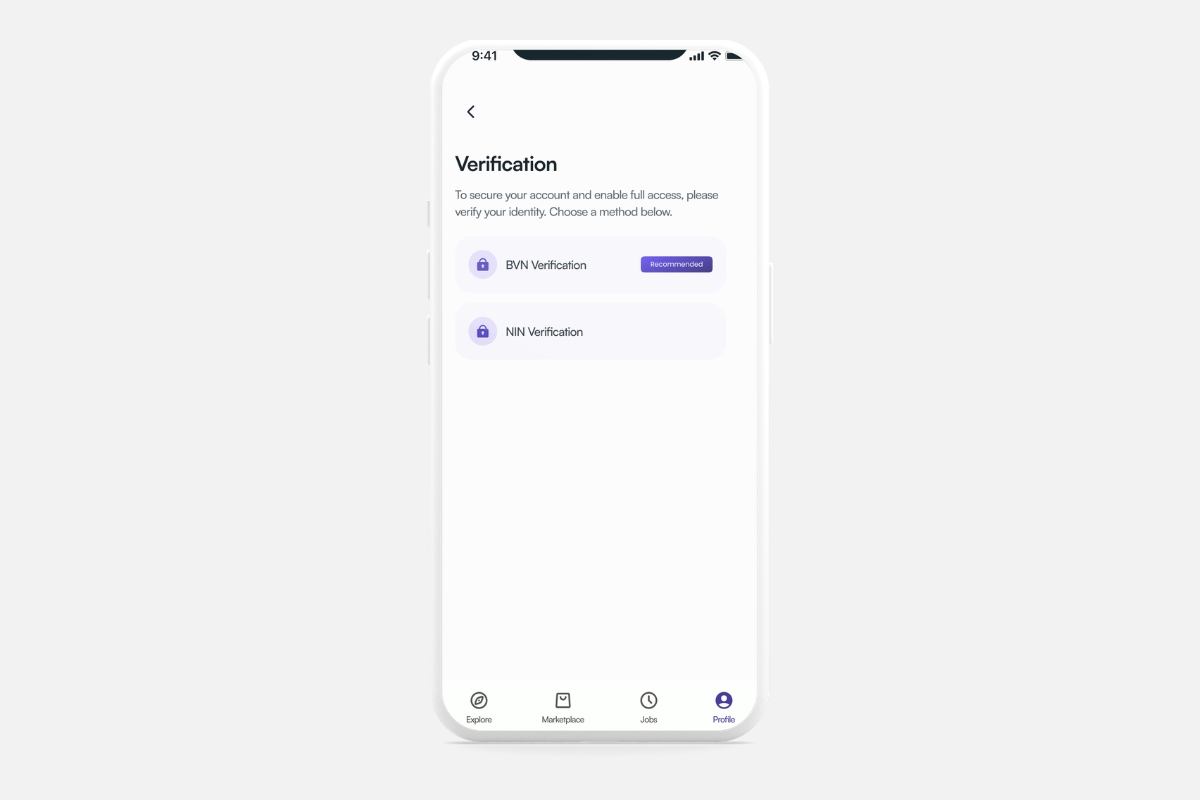
Wakafixam allows you to verify your identity using either:
• BVN (Bank Verification Number) OR NIN (National Identification Number)
You only need to use one of the two options.
Step 5: Enter Your Details
Enter the required information carefully.
Make sure the following details match your official records:
• Full name
• Phone number
• Date of birth
These must match the information linked to your BVN or NIN.
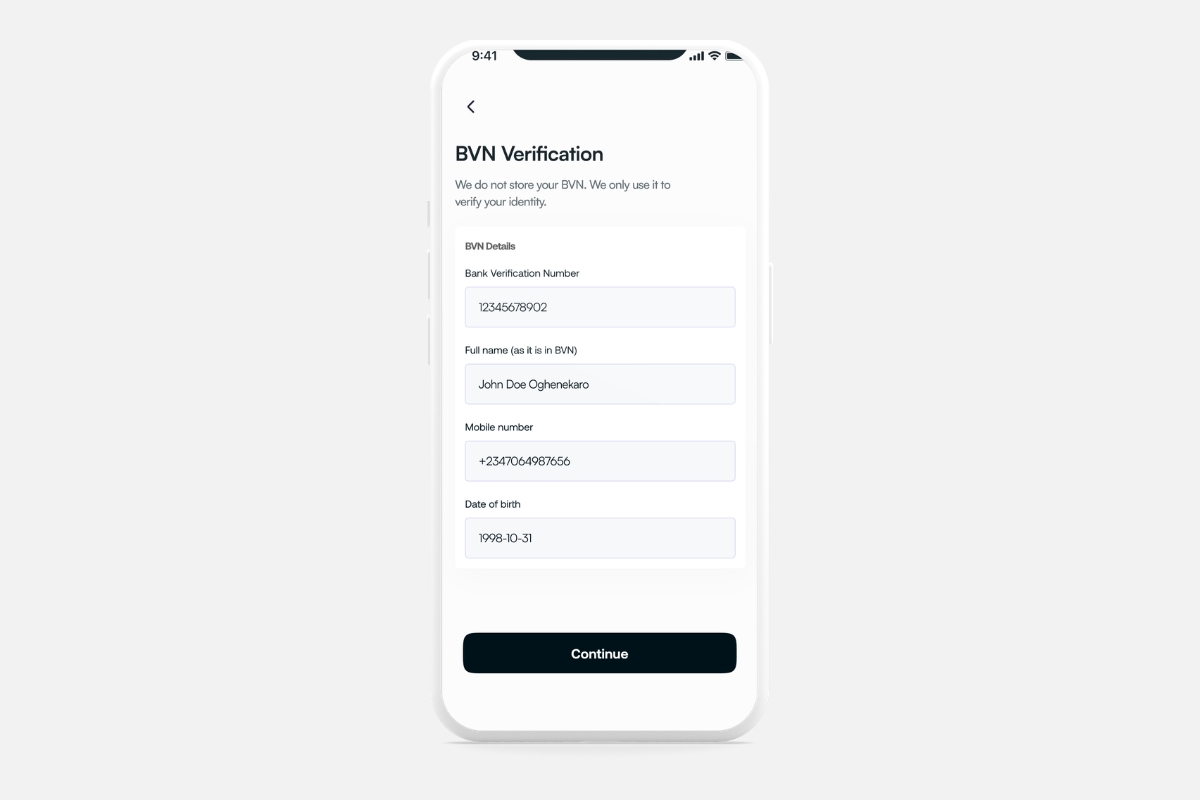
Step 6: Verification Complete
Once the system confirms that your details match your records, your account will be verified successfully.
You will see a confirmation indicating that your Wakafixam account has been verified.
Congratulations! Your account is now verified and ready for full use.

Benefits of Verifying Your Wakafixam Account
Verifying your account unlocks several benefits on the platform.
Increased Trust
Verified accounts help other users feel confident interacting with you.
Better Opportunities for Service Providers
Artisans with verified accounts appear more credible to customers.
Secure Transactions
Verification helps ensure that transactions happen between real people.
Full Access to Platform Features
Some platform functions may require a verified account to operate smoothly.
Common Verification Issues and How to Fix Them
Sometimes users experience verification issues. Here are the most common causes.
Details Do Not Match
If your name, phone number, or date of birth does not match your BVN or NIN records, verification may fail.
Make sure the details you entered are correct.
Incorrect BVN or NIN
Double-check that you entered the correct number before submitting.
Wrong Date of Birth
Ensure your date of birth matches the one associated with your BVN or NIN.
Correcting these issues usually resolves the problem quickly.
Is Wakafixam Account Verification Safe?
Yes. Wakafixam uses secure systems to process identity verification.
Your information is handled with strict security measures to protect your data and maintain a safe platform for all users.
Verification is one of the ways Wakafixam ensures a trustworthy community for customers, service providers, and businesses.
Verifying your Wakafixam account is quick, simple, and essential for using the platform confidently.
Whether you want to request services, offer your skills, or sell products, completing verification helps build trust and unlocks the full experience of Wakafixam.